- 炫彩小鱼干2026-09-24
感谢 unsloth 发布了 Qwen-image-2.1 的量化版本
huggingface.co
unsloth/Qwen-Image-2.1-GGUF · Hugging Face
We’re on a journey to advance and democratize artificial intelligence through open source and open science.
Q4_K_M 仅 4.2GB,终于可以让我的 5060 尝尝最新的开源生图模型了
硬件需求
RTX 5060 Laptop 8GB
≥ 16 GB 内存(所有模型权重全部卸载到 CPU)
耗时
1k 图 70 秒,2k 图 12 分钟(显然除了 1k 之外的分辨率都不具有可用性,而且更高的分辨率会出现奇怪的 bug,见下文效果展示)
效果展示
在 2k 图下,实测会出现奇怪的纹理
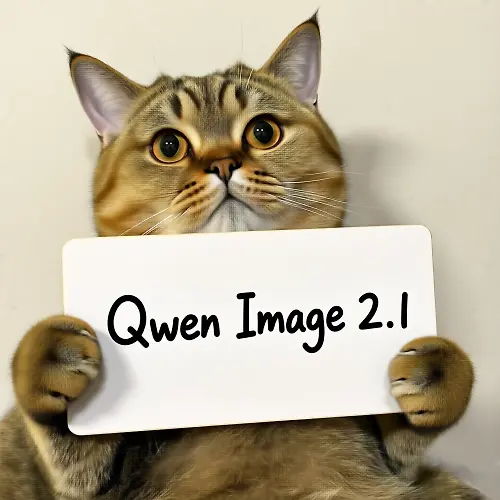
回到 1k 图,一切恢复正常
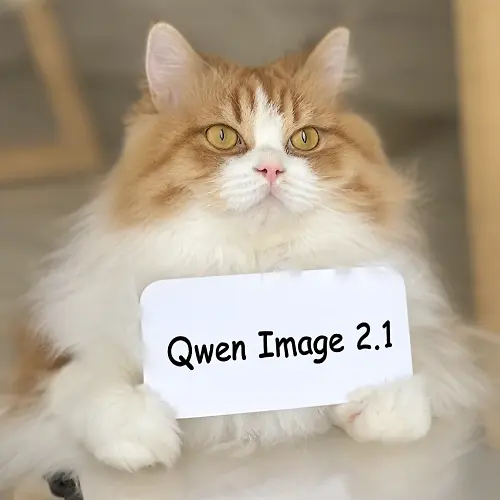
复杂场景测试
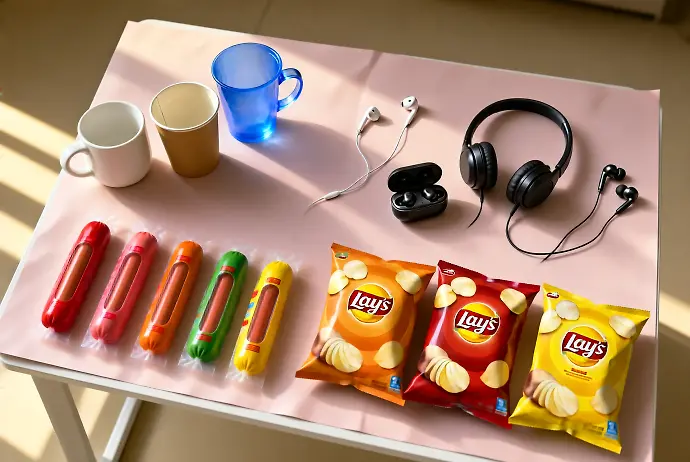
更多效果展示可见我的上一个帖子
千问昨天晚上九点发布的全新生图模型
Qwen-image-2.1,立刻下载部署好消息放前面:依旧支持 NSFW!
我的硬件配置:4090D 24GB 显存
生成速度(25步):1k图(1mp分辨率)8秒/张,2k图 ~45秒/张
模型选择
我的选择:int8 主模型 + int8 编码器 + bf16 VAE,出图时显存占用最高2048×2048,15.1 GiB(所以理论上16GB显…配置分享
推理框架
stable-diffusion.cpp
模型权重
DiT Q4_K_M
huggingface.co
qwen-image-2.1-Q4_K_M.gguf · unsloth/Qwen-Image-2.1-GGUF at main
We’re on a journey to advance and democratize artificial intelligence through open source and open science.
文本编码器 Q4
huggingface.co
Qwen3-VL-8B-Instruct-UD-Q4_K_XL.gguf · unsloth/Qwen3-VL-8B-Instruct-GGUF at main
We’re on a journey to advance and democratize artificial intelligence through open source and open science.
VAE
huggingface.co
vae/qwen_image_2.1_vae_bf16.safetensors · unsloth/Qwen-Image-2.1-FP8 at main
We’re on a journey to advance and democratize artificial intelligence through open source and open science.
视觉投影(在编辑图片时才需要)
huggingface.co
mmproj-BF16.gguf · unsloth/Qwen3-VL-8B-Instruct-GGUF at main
We’re on a journey to advance and democratize artificial intelligence through open source and open science.
全部模型卸载进 CPU,因为生图是串行跑,需要时装进显存,这样才能跑起来
开 EasyCache 加速(threshold=0.3)
生图命令```
sd-cli.exe --diffusion-model qwen-image-2.1-Q4_K_M.gguf --vae qwen_image_2.1_vae_bf16.safetensors --llm Qwen3-VL-8B-Instruct-UD-Q4_K_XL.gguf -p "一只举着牌子写 QWEN 2.1 的猫" -W 1024 -H 1024 --steps 25 --cfg-scale 6.0 --sampling-methodeuler --diffusion-fa --cache-mode easycache --cache-option threshold=0.3 --offload-to-cpu --vae-tiling --backend te=cpu --model-args qwen_image_2_1_prefix_cache=false -o out.png再加 `--llm_vision models\mmproj-BF16.gguf -r 参考图.png` 局部改图 `-i 原图.png --mask 蒙版.png`(蒙版白色=要改的区域) 总结 总结下来,8 GB 的显卡就足够跑这样高质量生图模型了,配合 EasyCache,1K 生图 70 秒一张已经相当可用了主楼 - 三月2026-09-24
可以nsfw吗?如果能的话就太棒了哈哈哈
- 炫彩小鱼干2026-09-24
当然支持,原生的所有功能都保留。
- OG2026-09-24
攒攒钱买mac m5 ultra