- chesha12025-09-17
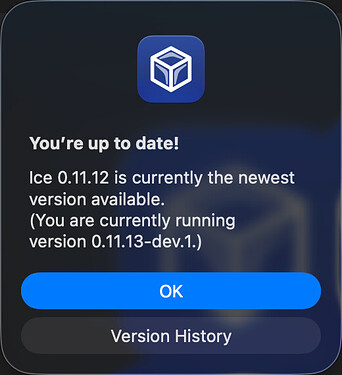
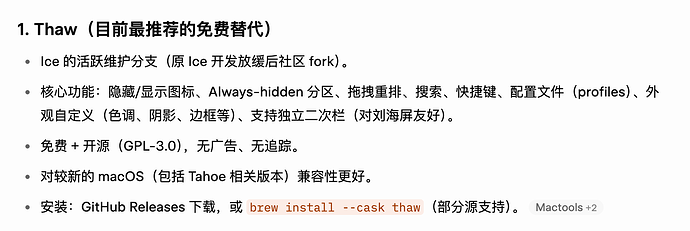
rt,ice 一年多没更新了,macos26 上不太好用,请问还有别的 bartender 替代吗
主楼 - |O_x|o_o|x_O2026-09-17
不懂,帮顶
- |aBER2026-09-17
佬去ice的issue里找一下,开发者有发26的适配dev版
github.com/jordanbaird/Ice
[Bug]: <crashes on MACOS 26 tahoe 26>
已打开 03:34PM - 16 Sep 25 UTC

Carlos2CV
Bug
Check Existing Issues
- [x] I have checked existing issues, and this issue …is not a duplicate
Description
I installed mACOS 26 Tahoe. I start Ice 0.11.12, it works fine and hides the icons.
when I click ice to unhide the icons, the hidden icons appear, but Ice app crashes"Ice quit unexpectedly.
Click Reopen to open the
application again. Click Report to
see more detailed information and
send a report to Apple."Process: Ice [12652]
Path: /Applications/2tools/Ice.app/Contents/MacOS/Ice
Identifier: com.jordanbaird.Ice
Version: 0.11.12 (1117)
Code Type: ARM-64 (Native)
Role: Foreground
Parent Process: launchd [1]
Coalition: com.jordanbaird.Ice [907]
User ID: 501Date/Time: 2025-09-16 11:31:53.9210 -0400
Launch Time: 2025-09-16 11:29:35.7314 -0400
Hardware Model: Mac14,2
OS Version: macOS 26.0 (25A354)
Release Type: UserCrash Reporter Key:
Incident Identifier:Sleep/Wake UUID: 1
Time Awake Since Boot: 55000 seconds
Time Since Wake: 15695 secondsSystem Integrity Protection: enabled
Triggered by Thread: 0
Exception Type: EXC_BREAKPOINT (SIGTRAP)
Exception Codes: 0x0000000000000001, 0x00000001028e0934Termination Reason: Namespace SIGNAL, Code 5, Trace/BPT trap: 5
Terminating Process: exc handler [12652]Thread 0 Crashed:
0 Ice 0x1028e0934 0x1028d4000 + 51508
1 Ice 0x102996b18 0x1028d4000 + 797464
2 Ice 0x102996aa0 0x1028d4000 + 797344
3 Ice 0x1029955e0 0x1028d4000 + 792032
4 Ice 0x1029547e1 0x1028d4000 + 526305
5 Ice 0x1028f4151 0x1028d4000 + 131409
6 Ice 0x1028f7fb9 0x1028d4000 + 147385
7 Ice 0x1028e6319 0x1028d4000 + 74521
8 libswift_Concurrency.dylib 0x2954b8dfd completeTaskWithClosure(swift::AsyncContext, swift::SwiftError) + 1Thread 1:: com.apple.NSEventThread
0 libsystem_kernel.dylib 0x19cd71c34 mach_msg2_trap + 8
1 libsystem_kernel.dylib 0x19cd84028 mach_msg2_internal + 76
2 libsystem_kernel.dylib 0x19cd7a98c mach_msg_overwrite + 484
3 libsystem_kernel.dylib 0x19cd71fb4 mach_msg + 24
4 CoreFoundation 0x19ce53c80 __CFRunLoopServiceMachPort + 160
5 CoreFoundation 0x19ce525d8 __CFRunLoopRun + 1188
6 CoreFoundation 0x19cf10898 _CFRunLoopRunSpecificWithOptions + 532
7 AppKit 0x1a12d0a68 _NSEventThread + 184
8 libsystem_pthread.dylib 0x19cdb4c08 _pthread_start + 136
9 libsystem_pthread.dylib 0x19cdafba8 thread_start + 8Thread 2:
Thread 3:
Thread 4:
Thread 5:
Thread 6:
Thread 7:
Thread 8:
Thread 0 crashed with ARM Thread State (64-bit):
x0: 0x00000008c631a580 x1: 0x21000002097b37bf x2: 0x00000002097b37b8 x3: 0x0000000000000001
x4: 0x0000001000000003 x5: 0x0000000000000007 x6: 0x0000001000000003 x7: 0x0000000000000007
x8: 0x0000000000000001 x9: 0x0000000218544ebb x10: 0x00000008d725f903 x11: 0x00000000000003ff
x12: 0x0000000000000226 x13: 0x00000008c60aa250 x14: 0x21000002097b37bf x15: 0x00000002097b37b8
x16: 0x21000002097b37bf x17: 0x0000000000000040 x18: 0x0000000000000000 x19: 0x0000000100000000
x20: 0x00000008c631a580 x21: 0x00000008c6860a00 x22: 0x00000008c7e1d400 x23: 0x0000000000000002
x24: 0x0000000102a7d000 x25: 0x00000008c7624a80 x26: 0x00000008c61b4e70 x27: 0x00000008c5fa79a0
x28: 0xffffffff76ffffff fp: 0x000000016d5278a0 lr: 0x00000001028e0928
sp: 0x000000016d527880 pc: 0x00000001028e0934 cpsr: 0x60001000
far: 0x0000000000000000 esr: 0xf2000001 (Breakpoint) brk 1Binary Images:
0x1028d4000 - 0x102a63fff com.jordanbaird.Ice (0.11.12) <438423db-718a-3fc0-9935-2a5721737382> /Applications/2tools/Ice.app/Contents/MacOS/Ice
0x102bbc000 - 0x102bfffff org.sparkle-project.Sparkle (2.6.4) <0e273e3e-459c-3fa6-9a86-4754c5cc30ff> /Applications/2tools/Ice.app/Contents/Frameworks/Sparkle.framework/Versions/B/Sparkle
0x102cf8000 - 0x102d03fff libobjc-trampolines.dylib (*) <580e4b29-8304-342d-a21c-2a869364dc35> /usr/lib/libobjc-trampolines.dylib
0x116bbc000 - 0x117377fff com.apple.AGXMetalG14G (340.26.3) <8728f149-6387-37a3-a4a7-f2deabe30f9e> /System/Library/Extensions/AGXMetalG14G.bundle/Contents/MacOS/AGXMetalG14G
0x29544b000 - 0x2954d5317 libswift_Concurrency.dylib (*) <55c416d8-c572-3449-9302-a64cc8a57360> /usr/lib/swift/libswift_Concurrency.dylib
0x0 - 0xffffffffffffffff ??? (*) <00000000-0000-0000-0000-000000000000> ???
0x19cd71000 - 0x19cdad45f libsystem_kernel.dylib (*) <2eb73bf1-8c71-3e1f-a160-6da83dc82606> /usr/lib/system/libsystem_kernel.dylib
0x19cdf4000 - 0x19d340f7f com.apple.CoreFoundation (6.9) <edb39786-80b1-3bff-b6c3-e33f2e3ca867> /System/Library/Frameworks/CoreFoundation.framework/Versions/A/CoreFoundation
0x1a1221000 - 0x1a291cd9f com.apple.AppKit (6.9) <6d84c7a3-ee98-3daf-ac66-cd95a902ba84> /System/Library/Frameworks/AppKit.framework/Versions/C/AppKit
0x19cdae000 - 0x19cdbaabb libsystem_pthread.dylib (*) <5d31d65c-2ecf-36da-84f5-ba4caab06adb> /usr/lib/system/libsystem_pthread.dylib
0x1fee50000 - 0x200494df7 com.apple.ANECompiler (9.32.12) <b55b0ca3-cfb7-3bff-9017-2e101221faee> /System/Library/PrivateFrameworks/ANECompiler.framework/Versions/A/ANECompilerExternal Modification Summary:
Calls made by other processes targeting this process:
task_for_pid: 0
thread_create: 0
thread_set_state: 0
Calls made by this process:
task_for_pid: 0
thread_create: 0
thread_set_state: 0
Calls made by all processes on this machine:
task_for_pid: 0
thread_create: 0
thread_set_state: 0Steps to Reproduce
open ice
click ice to hunted icons
ice chrashesIce Version
0.11.12
macOS Version
26
Screenshots
_No response_
- Safari-linuxdo2026-09-17
ice软件里不能调整,但是可以直接在菜单栏调整
- 一介散修2026-09-17
应该过几天就更新了,先忍忍吧
- Jingyü2026-09-17
设置里能隐藏菜单栏图标,可以先用这个方法凑合几天,等 ice 更新
- Alexander2026-09-17
哎?我也26为什么还可以用ice
- maraka2026-09-17
+1我的也可以用
- YaLei_Li2026-09-17
ice dev版本正常工作
- kitty-linuxdo2026-09-17
我用的Barbee Mac App Store 上的“Barbee - 清理您的菜单栏图标”
- Lumi2026-09-17
ice beta2 出了,macos26 一切良好,就是对于 macos26 一定要把声音图标显示出来,不然不显示音量调节

GitHub
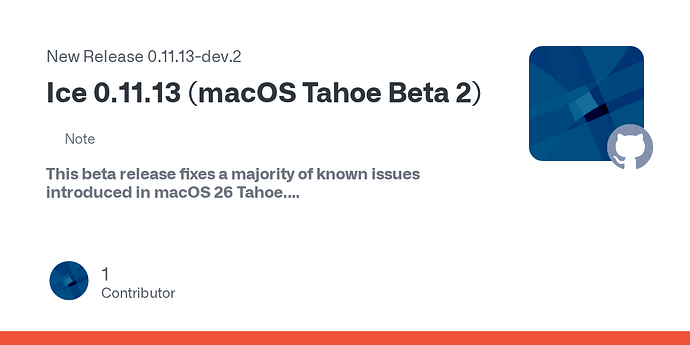
Release Ice 0.11.13 (macOS Tahoe Beta 2) · jordanbaird/Ice
Note
This beta release fixes a majority of known issues introduced in macOS 26 Tahoe.What's New
Adopted liquid glass design.
Reorganized settings interface for more intuitive navigation.
More he...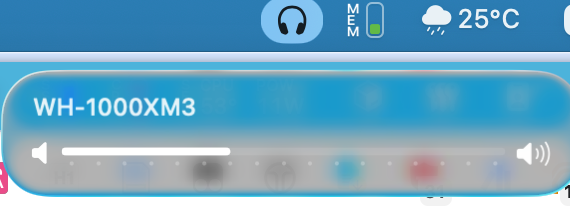
- zhaidoudou1232026-09-17
已经下了bartender 6了,用了十年了,观察一下准备就升级授权了
- Z-linuxdo2026-09-17
- youngc2026-09-17
ice这版好用,现在的bartender6卡顿明显
- squirrelzhou8小时前
bartender6.1.3版本已经完美解决卡顿问题。
- cheryH8小时前
- Neo-linuxdo8小时前
BarBee 我现在用的感觉很好,bartender6我买了就后悔了,问题太多了。。。。