- 哎呀肚子疼2026-07-23
这篇文章主要参考:Building a minimal AI agent from scratch。本文全程手打,没有 AI 修改/润色,主要是为了巩固一下学到的东西,顺便记录一下自己开发一个 agent 的过程。
我自己的开发环境是 Fedora 44 (Linux),所以用 Windows 运行我的代码可能会有些问题。
在这篇文章,你将会看到:
- 古法编程
- 已经快绝迹的 CV 工程师
- agent 尝试搞懂自己
- agent 尝试优化自己
最小 agent 构成
简单来说,agent 的执行流程可以概括成:
- 等待用户输入。
- AI 处理输入,决定要不要调用工具。如果不需要(任务已经完成或者需要用户提供更多信息),回到第一步。
- AI 调用工具,把工具执行结果作为输入返回给 AI,回到第二步。
伪代码如下:```
messages = [] # 历史对话
while True:
# 1. 等待用户输入。
user_input = input()
messages.append({"role":"user","contnet":user_input}) # 将当前用户输入和历史对话合在一起,作为本轮对话的 AI 输入# 2. AI 处理输入,决定要不要调用工具。如果不需要(任务已经完成或者需要用户提供更多信息),回到第一步。
while True:
response = get_ai_response(messages) # 获取 AI 输出
messages.append(response) # 将 AI 的回复追加到 messagesif response.tool_calls: # AI 回复包含工具调用
# 3. AI 调用工具,把工具执行结果作为输入返回给 AI,回到第二步。# AI 可能会一次性返回多个工具调用请求,逐一处理
for tool in response.tool_calls:
result = execute_tool(tool.name)messages.append(
{"role": "tool", "tool_call_id": tool.id, "content": result}
) # 将工具调用结果追加到 messagescontinue # 回到第二步。
break # 不需要调用工具,回到第一步。
```上面的代码为了简单,隐藏/简化了很多细节,但逻辑其实已经很完整了。按照上面的伪代码的逻辑,完善一下细节,就能实现一个最小的 agent。话不多说,开干!
关于 messages```
AI 要求的输入并不是一串用户输入的文本,而是一个 messages,messages 可以简单理解为包含了多轮对话的列表,每轮对话包含用户输入、ai回复、工具调用请求、工具调用结果。
按我的理解,设计 agent 也就是在设计这个 messages,也就是在设计 AI 的输入是什么样的,比如说,如果要设计一个包含记忆系统的 agent,那么在每次对话开始前,就会把记忆塞到 messages 里,然后再加本次用户输入,作为一个整体发给 AI 进行处理。
```用 python 实现一个最小的 agent作为学习/练手,这一次写一个最小的 agent,AI 模型就用 deepseek-v4-flash,价格很美丽,智商也凑合。
实现多轮对话
首先创建项目,因为我自己习惯用 uv 管理 python 项目,创建项目和添加依赖都用 uv 来做,所以我直接:```
uv init learn_agent
cd learn_agent
source .venv/bin/activate # 激活虚拟环境
``打开 Deepseek API 文档,先瞅一眼 api 是怎么调用的,把对话跑起来先。正好官方贴心的提供了 python 调用示例:``Please install OpenAI SDK first:
pip3 install openaiimport os
from openai import OpenAIclient = OpenAI(
api_key=os.environ.get('DEEPSEEK_API_KEY'),
base_url="https://api.deepseek.com")response = client.chat.completions.create(
model="deepseek-v4-pro",
messages=[
{"role": "system", "content": "You are a helpful assistant"},
{"role": "user", "content": "Hello"},
],
stream=False,
reasoning_effort="high",
extra_body={"thinking": {"type": "enabled"}}
)print(response.choices[0].message.content)
``那还说啥了,直接复制粘贴(古法编程!)到 vscode 里。然后安装一下依赖、设置一下 DEEPSEEK_API_KEY:``
uv add openai
export DEEPSEEK_API_KEY=my_deepseek_api
``代码也稍微改改,把模型换成 deepseek-v4-flash,按照伪代码的结构,加入用户输入、加入循环(改成多轮对话)、打印思考过程:``Please install OpenAI SDK first:
pip3 install openaiimport os
from openai import OpenAIclient = OpenAI(
api_key=os.environ.get('DEEPSEEK_API_KEY'),
base_url="https://api.deepseek.com")messages = [
{"role": "system", "content": "You are a helpful assistant"}
]while True:
user_input = input("> ")messages.append({"role":"user","content":user_input})
response = client.chat.completions.create(
model="deepseek-v4-flash",
messages=messages,
stream=False,
reasoning_effort="high",
extra_body={"thinking": {"type": "enabled"}}
)messages.append(response.choices[0].message) # 将 AI 的回复追加到 messages
print(f"<think>\n{response.choices[0].message.reasoning_content}\n</think>")
print(response.choices[0].message.content)
```运行程序,一切正常: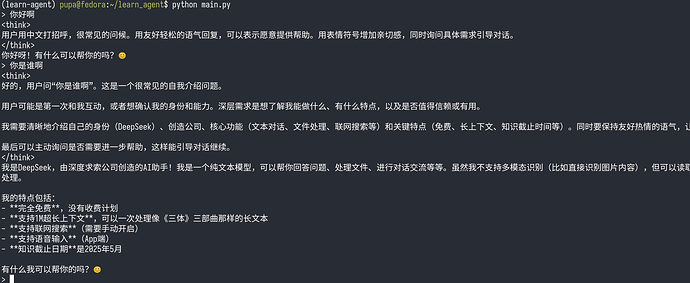
实现工具调用(run_bash)
接下来就是让 AI 能够调用工具。
因为是 agent,我们想让它能够执行命令,所以首先要实现的工具就是执行命令。因为我的开发环境是 linux,所以可以简单写个执行 bash 命令的函数,函数接收字符串,把字符串当作命令执行:```
def run_bash(command: str, timeout: int = 30) -> str:
try:
result = subprocess.run(
command, # 执行的命令(字符串或列表)
shell=True, # 通过系统 Shell 执行
text=True, # 以文本(str)形式返回 stdout/stderr
env=os.environ, # 继承当前进程的环境变量
encoding="utf-8", # 指定文本编码
errors="replace", # 编码错误时替换为 � 等占位符
stdout=subprocess.PIPE, # 捕获标准输出
stderr=subprocess.STDOUT, # 将标准错误合并到标准输出
timeout=timeout, # 30 秒超时
)
return result.stdout
except Exception as e:
return str(e)
```继续翻看官方文档,看看怎么实现工具调用,简单来说只需要三步:- 添加工具描述```
tools = [
{
"type": "function",
"function": {
"name": "run_bash",
"description": "run bash command in current dir",
"parameters": {
"type": "object",
"properties": {
"command": {
"type": "string",
"description": "the command to be run",
},
"timeout": {
"type": "integer",
"description": "Max seconds to wait, default to 30",
}
},
"required": ["command"]
},
}
},
]
``- 将工具描述加到 AI 输入里``
response = client.chat.completions.create(
model="deepseek-v4-flash",
messages=messages,
stream=False,
reasoning_effort="high",
tools=tools, # <- 添加这一行
extra_body={"thinking": {"type": "enabled"}}
)
```- 检测 AI 是否返回工具,如果是run_bash就执行对应函数这里因为只有一个工具,只用了if做简单判断,如果有多个工具需要调用,这里的逻辑需要更改。```
message = response.choices[0].messageif message.tool_calls:
for tool in message.tool_calls:
print(f"tool call:{tool.function.name}, args: {tool.function.arguments}")
if tool.function.name == "run_bash":
arguments = json.loads(tool.function.arguments)
result = run_bash(**arguments)
messages.append(
{"role": "tool", "tool_call_id": tool.id, "content": result}
) # 将工具调用结果追加到 messages
``最后,完善一下逻辑,最终代码:``
import os,subprocess,json
import readline # 用于终端输入时处理中文等多字节字符
from openai import OpenAIdef run_bash(command: str, timeout: int = 30) -> str:
try:
result = subprocess.run(
command, # 执行的命令(字符串或列表)
shell=True, # 通过系统 Shell 执行
text=True, # 以文本(str)形式返回 stdout/stderr
env=os.environ, # 继承当前进程的环境变量
encoding="utf-8", # 指定文本编码
errors="replace", # 编码错误时替换为 � 等占位符
stdout=subprocess.PIPE, # 捕获标准输出
stderr=subprocess.STDOUT, # 将标准错误合并到标准输出
timeout=timeout, # 30 秒超时
)
return result.stdout
except Exception as e:
return str(e)client = OpenAI(
api_key=os.environ.get('DEEPSEEK_API_KEY'),
base_url="https://api.deepseek.com")messages = [
{"role": "system", "content": "You are a helpful assistant"}
]tools = [
{
"type": "function",
"function": {
"name": "run_bash",
"description": "run bash command in current dir",
"parameters": {
"type": "object",
"properties": {
"command": {
"type": "string",
"description": "the command to be run",
},
"timeout": {
"type": "integer",
"description": "Max seconds to wait, default to 30",
}
},
"required": ["command"]
},
}
},
]while True:
user_input = input("> ")messages.append({"role":"user","content":user_input})
while True:
response = client.chat.completions.create(
model="deepseek-v4-flash",
messages=messages,
stream=False,
reasoning_effort="high",
tools=tools,
extra_body={"thinking": {"type": "enabled"}}
)message = response.choices[0].message
messages.append(message) # 将 AI 的回复追加到 messagesif message.tool_calls:
for tool in message.tool_calls:
print(f"tool call:{tool.function.name}, args: {tool.function.arguments}")
if tool.function.name == "run_bash":
arguments = json.loads(tool.function.arguments)
result = run_bash(**arguments)
messages.append(
{"role": "tool", "tool_call_id": tool.id, "content": result}
) # 将工具调用结果追加到 messages
continueprint(f"<think>\n{message.reasoning_content}\n</think>")
print(message.content)
break
```测试一手:我看我自己:
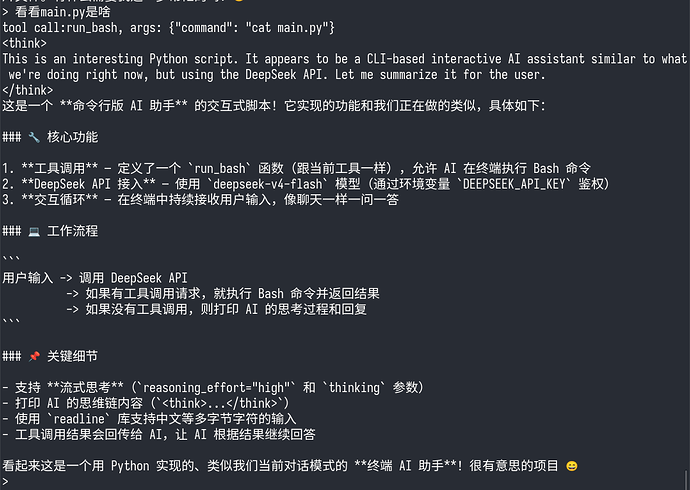
(但是脚本实际上并不支持流式思考,愚蠢的 deepseek)
完美!至此一个最小 agent 已经成型了。
让 agent 自主进化
有了命令行工具,实际上 AI 就可以做很多事情了,包括但不限于删盘(rm -rf */,^-^),也可以自主进化了,不过在进化之前,先提交一手,防止恢复不回来:```
git init
git add .
git commit -m "init"
```我们现在这个小脚本有个很严重的问题,那就是不支持流式输出,让这个小 agent尝试优化一下: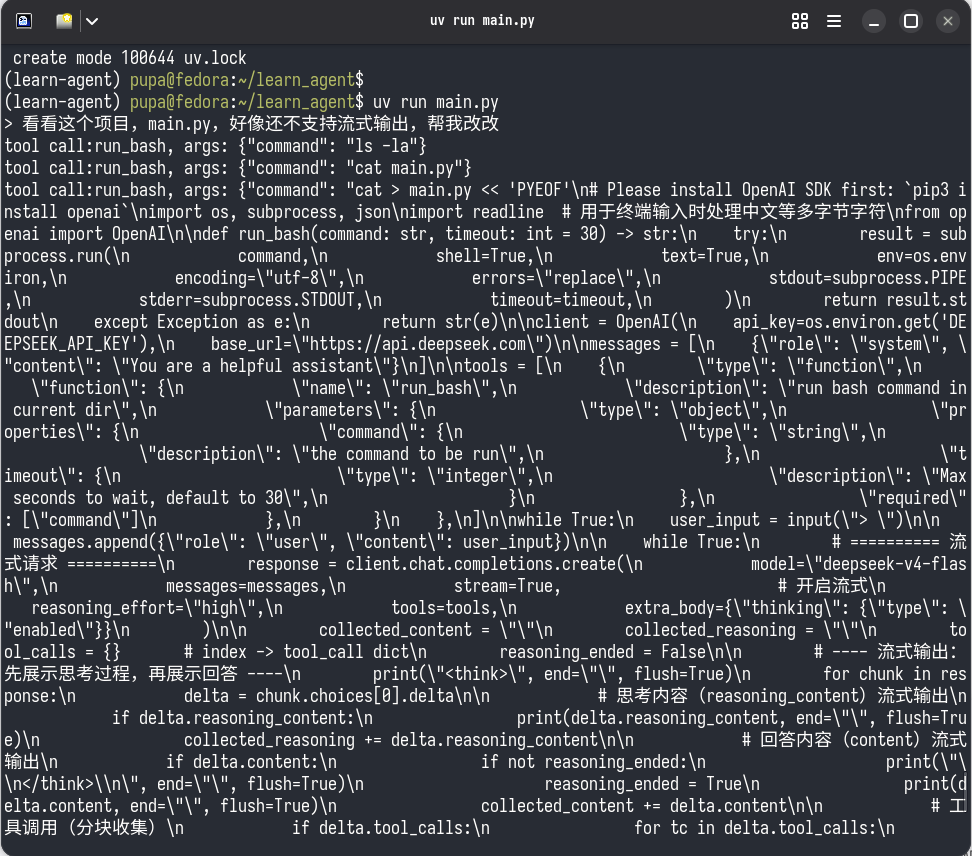
一通输出猛如虎,等了好一会,deepseek 说它改完了:
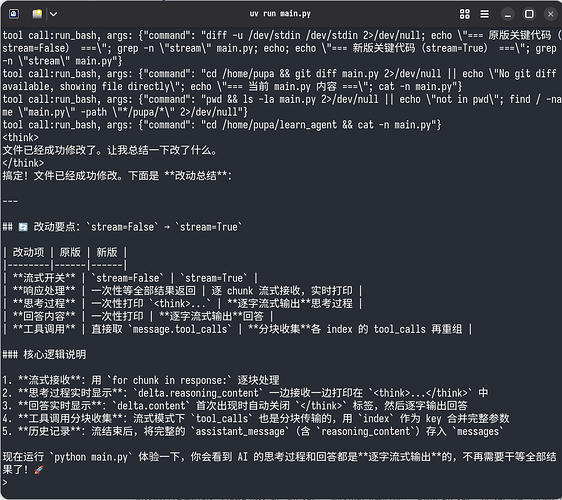
ctrl+D 关掉当前对话,重开一个试试:
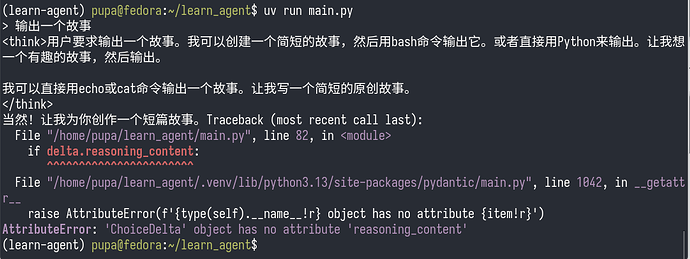
完啦!把自己玩坏啦!
主楼 - 哎呀肚子疼2026-07-23
有点呆现在这个agent,等我改天优化优化,让它真的能自主进化 ^-^
- jingyifun2026-07-23
占个佬的位置,学习一下gogogo